Importing Project to Read the Docs
Before you begin: Ensure that:
- You have all necessary project files. See Verifying Project Files.
- The project files are located on the repository of your choice.
- You have an account on Read the Docs. See Creating Account on Read the Docs.
Procedure:
- In your default web browser, open the Read the Docs Dashboard.
- Optional: At the prompt, click the on-screen instructions to log on to the website.
- On the Import a Repository site, click
 appearing to the right of the project you want to import.
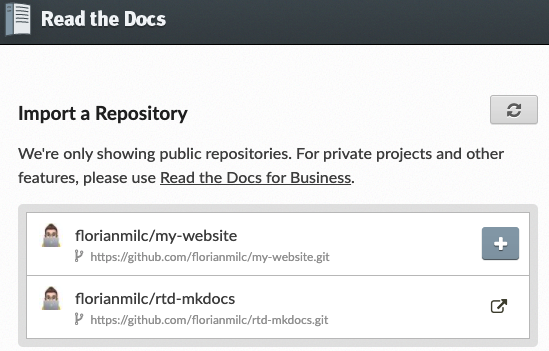
- Optional: If you cannot see the project you want to import on the list of available projects, perform the following actions:
- Click
 to refresh the list.
 - When the project you want to import appears on the list, click to import it.
- Click
- On the Project Details website, ensure all the settings are correct, and click Next.
Result: The Projects website appears with the name of your project and a message that webhook is successfully added.